
Upload your .step or .stp file and get dimensions, volume, and weight instantly. No installation required. Built by and for CNC machining shops.
Have your own machine shop? Cuando termines de mirar la pieza, presupuéstala a partir del mismo STEP: Fabriqer la compara con más de 1.000 piezas ya ofertadas. See how →
No installations, no licenses, no waiting. It works in your browser and we do not keep your files.
Drag your .step file into the box to get started.
Rotate the part, zoom in, and jump to predefined views. Select points and edges to inspect the real geometry.
Measure point-to-point dimensions and edge lengths, and get the real volume and weight based on the material you choose.
Cualquier visor te enseña la pieza. Fabriqer va más allá: con el mismo STEP te ayuda a presupuestar el mecanizado, comparando tu pieza con otras que hayas ofertado anteriormente o con nuestra base de datos de más de 1.000 piezas preconfiguradas, para darte una estimación sugerida del tiempo de proceso.
This is what separates a shop that quotes by eye from one that quotes with data.
Similarity
Compare your part with others already quoted
+1000
Preconfigured parts in our database
100%
Online · no installation required
5
Free parts, no card required
// How your part is quoted, step by step
If you receive many STEP files a day and spend hours quoting, Fabriqer turns that process into minutes without losing technical rigor.
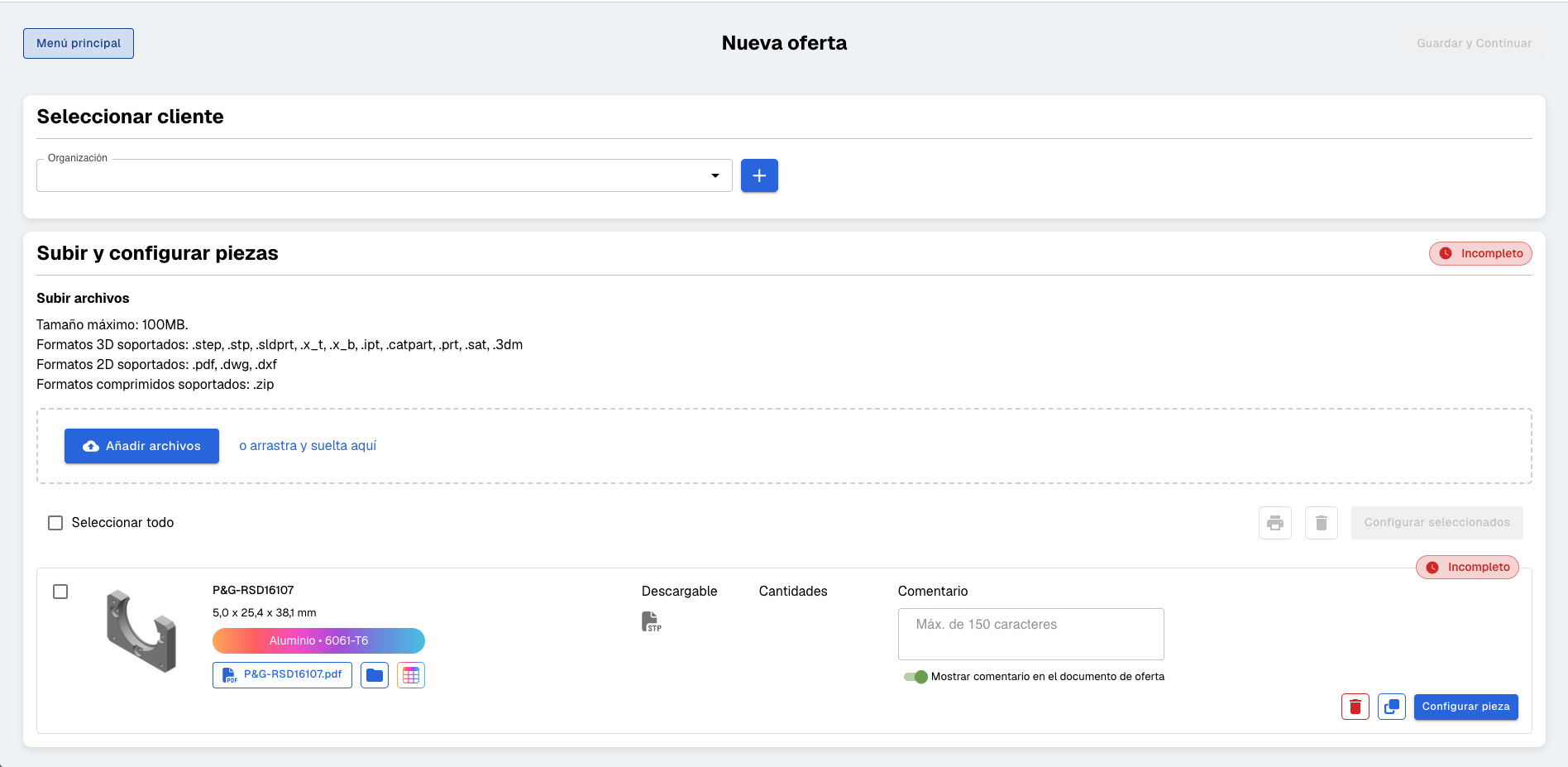
Upload the STEP file and we extract dimensions, volume, weight by material, and features (holes, threads, flats).
Compara tu pieza con otras piezas similares que hayas ofertado anteriormente o con nuestra base de datos de más de 1.000 piezas preconfiguradas para obtener una estimación sugerida del tiempo de proceso.
Database of common materials, alloys, supply conditions, finishes, and manufacturing operations. Customize your rates and processes.
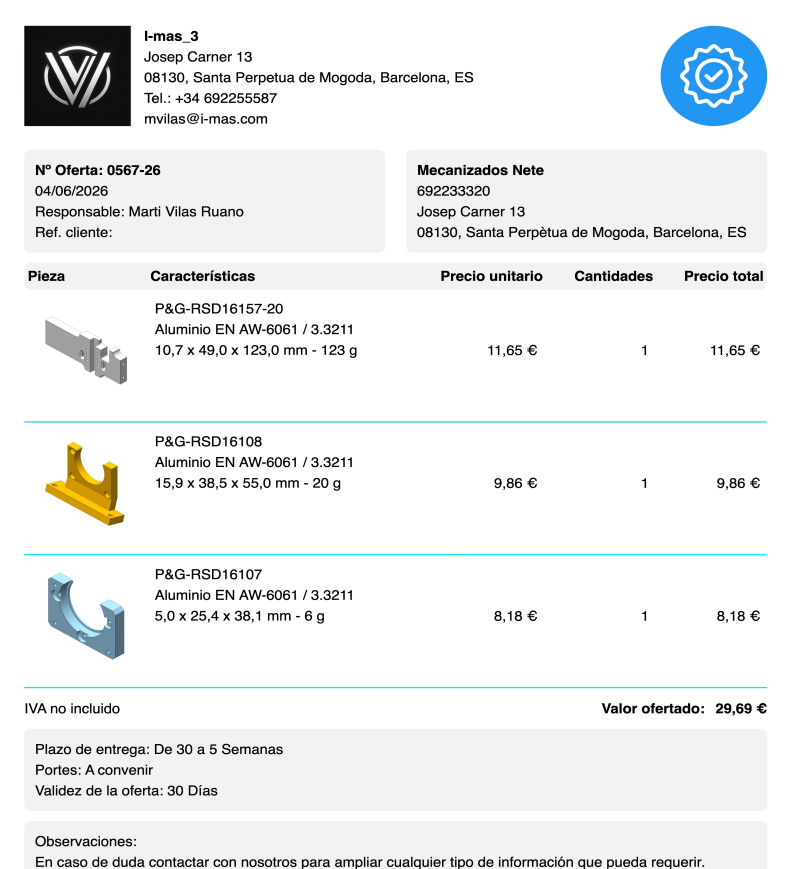
Export quotes with your logo, corporate color, coding, and images of each part. Professional without effort.

Empieza gratis con 5 piezas. Sin tarjeta, sin instalación, sin compromiso. Cuando estés listo, escalamos contigo.
Frequently Asked Questions

.png)