
AI machining time calculation
Upload the part's drawing or 3D model and get its estimated machining time broken down by operation — in minutes, with your machines and your rates.
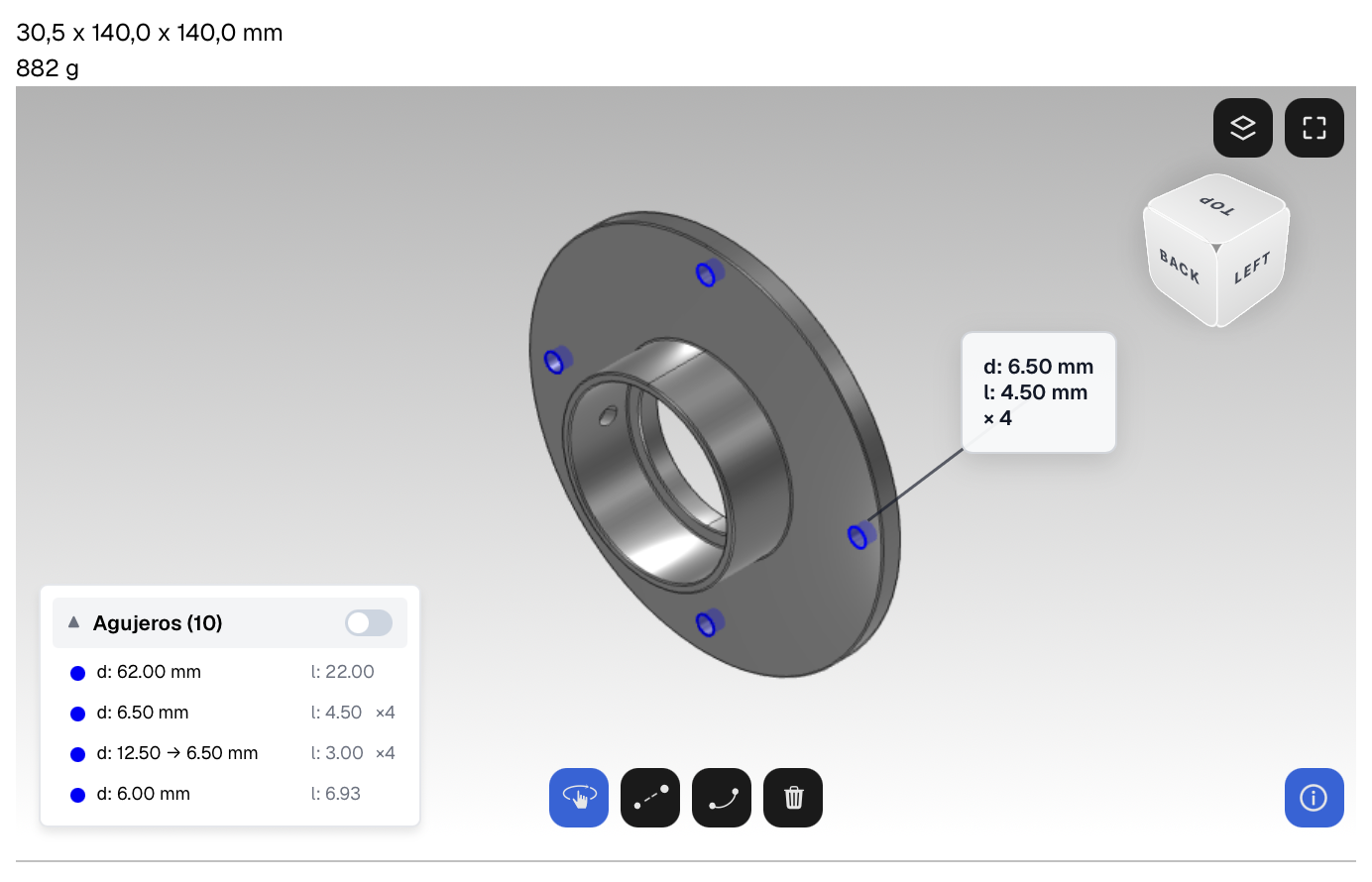
Machining time is the biggest factor in the price — and it's still estimated by eye
Every machining quote relies on a time estimate. If the time is off, the whole quote is off: either you lose the job for being too expensive, or you win the order and lose your margin. And when the person who “has the eye” isn't around, quotes wait.
Consistent, fast and auditable times
Consistency
The same part produces the same estimate, whoever does it. The shop's know-how no longer lives in one person's head.
Speed
From hours to minutes per quote. Replying sooner, with a solid breakdown, increases your chances of winning the order.
Traceability
Every time broken down by operation: setup, turning, milling, drilling. The shop manager can audit and correct it — and the system learns.
How it works

Upload the part
The drawing (PDF, DWG, DXF) or the 3D model (STEP, SolidWorks, Inventor…) of the part to quote. With the 3D model, the estimate is even more accurate.

The AI estimates the times
Operation by operation, based on geometry, material and tolerances — and it recommends the most suitable machine in your shop for each process.

The quote, ready to review
Times × your hourly rates per machine + material + margin = quote ready to send.
Turning and milling times, with their real variables
Turning time calculation
Turning, facing, threading, grooving: the time depends on the material, the passes and the tool changes. The AI estimates them from the rotational geometry and the drawing's tolerances.
Milling time calculation
Face milling, pockets, contouring, drilling: the estimate takes into account the volume of material to remove, access and workholding.
What formulas don't see
Classic formulas (cutting speed, feed, depth) calculate the cutting time, but a real part also involves setup, tool changes and inspection. Fabriqer's AI estimates the part's total time, not just the cutting time.
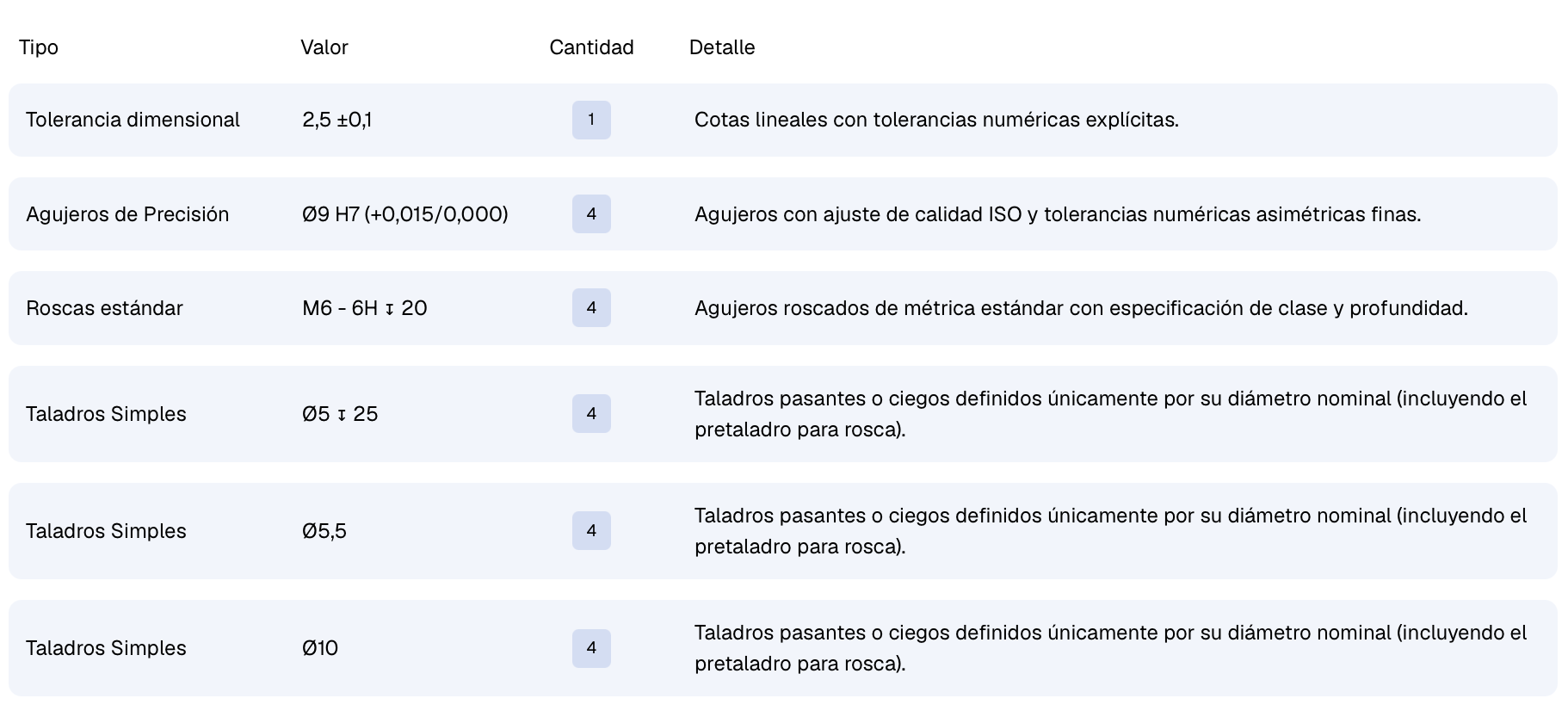
The AI reads the drawing like your engineering team: dimensional tolerances, H7 fits, metric threads and drilled holes, detected and counted automatically.
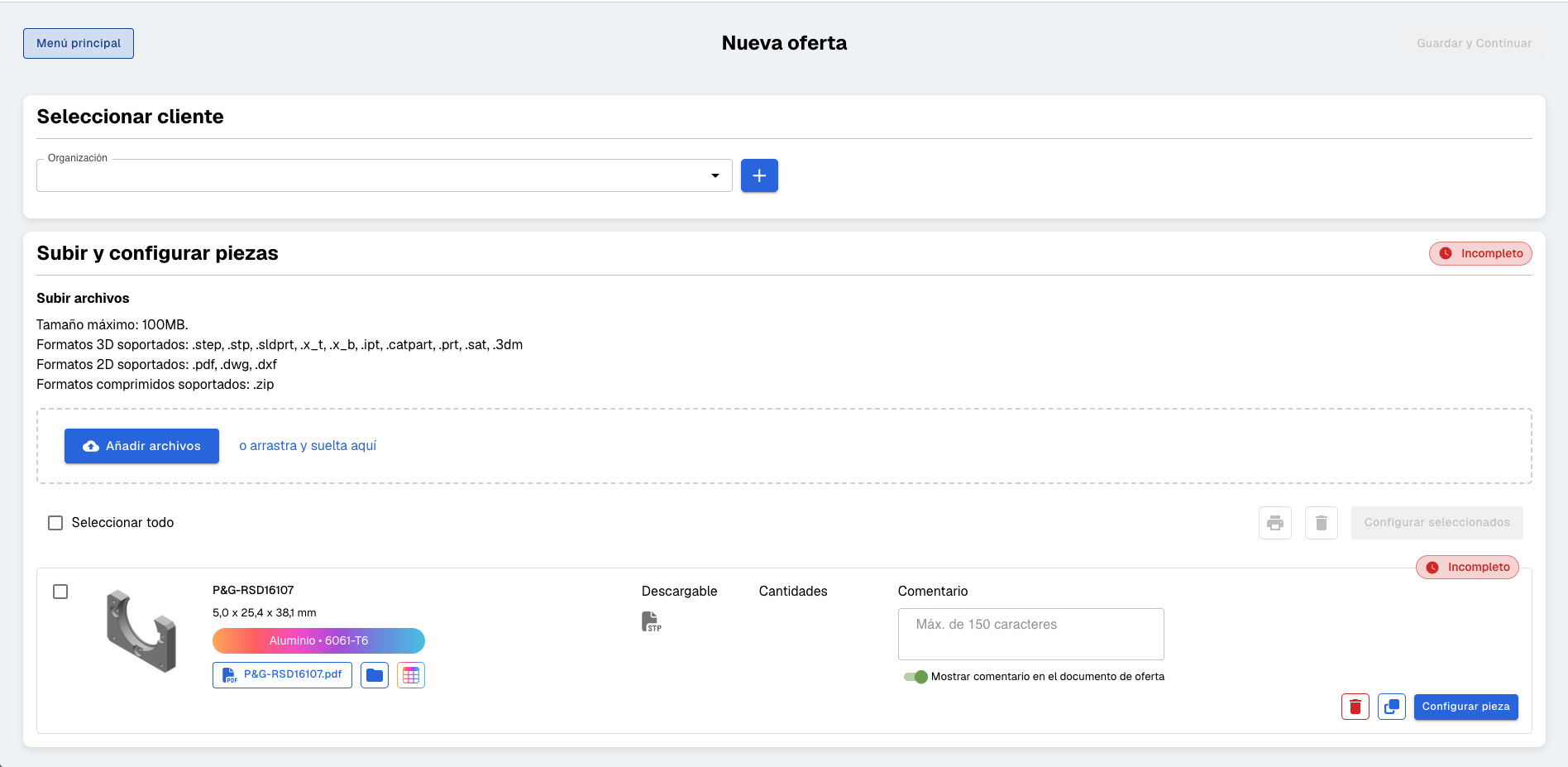
Every estimate, with your shop's know-how
Fabriqer isn't a generic machining calculator: it analyses each part and builds the estimate the way your engineering team would.
- It works with your files: 3D model (STEP, SolidWorks, Inventor…) or drawing in PDF, DWG or DXF.
- The AI detects the part's features and recommends the most suitable machine in your shop for each process.
- It estimates machining time and programming time separately — the difference between quoting a new part well and a repeat order.
- The whole breakdown is editable: your corrections refine the next estimates.
Frequently asked questions
How is a part's machining time calculated?
Traditionally, with cutting formulas for each operation (speed, feed, depth) plus the shop's experience for everything the formulas don't see: setups, tool changes, inspection. Fabriqer automates the whole process: it analyses the drawing or 3D model, proposes the right machine and estimates the total time broken down by operation — including programming time, which on new parts weighs as much as machining time.
Can I correct an estimate?
Yes. The breakdown by operation is editable: the shop manager can adjust any time before sending the quote. Each correction feeds into the next estimates, so the system gets ever closer to your shop's real judgement instead of replacing it.
Does it use my rates or generic rates?
Yours. You set the hourly rate for each machine, your materials and your margins; the AI provides the times and Fabriqer builds the quote with your numbers. You always decide the final price.
What do I need to upload: the drawing or the 3D model?
Either one. Fabriqer accepts 3D models (STEP, SolidWorks, Inventor, Parasolid…) and 2D drawings in PDF, DWG or DXF. With the 3D model the estimate is more accurate, because the part's full geometry is analysed.
How is it different from a machining calculator?
A machining time calculator applies cutting formulas to a single operation. Fabriqer analyses the whole part: it detects its features, recommends the right machine, estimates machining and programming time, and turns it all into a ready quote with your rates.
Try it with one of your parts
The best way to evaluate it is with your own parts. Request a demo and bring two or three real drawings.